Monday, October 5, 2020


Saturday, August 29, 2020
SelectorsHub: The best xpath chrome extension.
SelectorsHub helps to write and verify the XPath and cssSelector.
SelectorsHub is the complete new way to write and verify the XPath and cssSelectors.
SelectorsHub auto suggests all attributes, text and everything along with their occurrences to complete Selectors quickly. Now you need not to copy and paste attribute values from DOM anymore to build XPath and cssSelector. It also supports shadowDOM, iframe and SVG elements. It gives the proper error message like what is wrong in your xpath and cssSelector.
SelectorsHub is invented and created by me.
How to install-
Find the download link here. Try it now it's absolutely FREE.
Click on the download link for whichever browser you want.

2) Click on Add to Chrome.
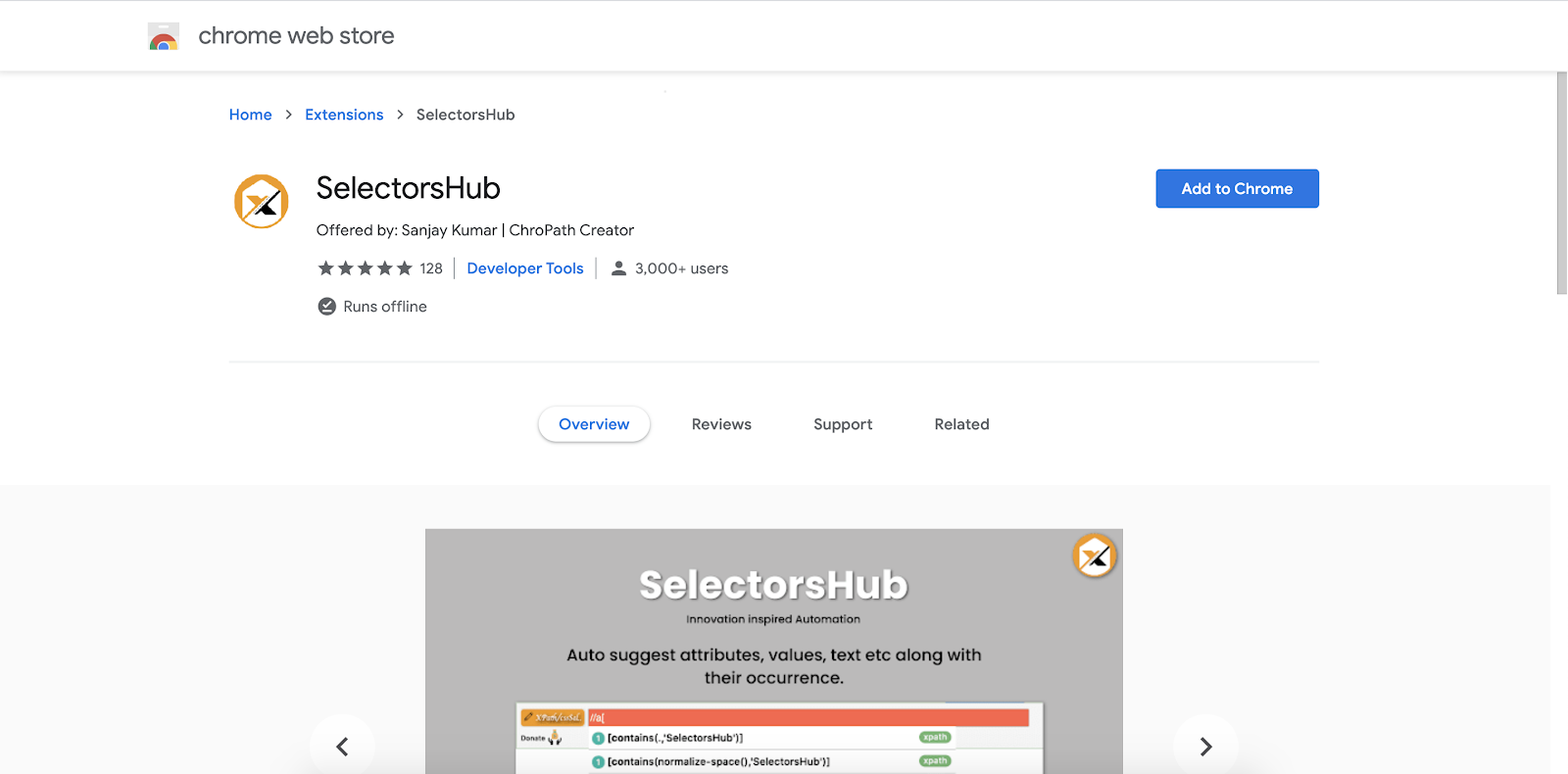
3) After adding the extension, it will show in the browser toolbar like this. You can pin to the toolbar by clicking on the pin icon.
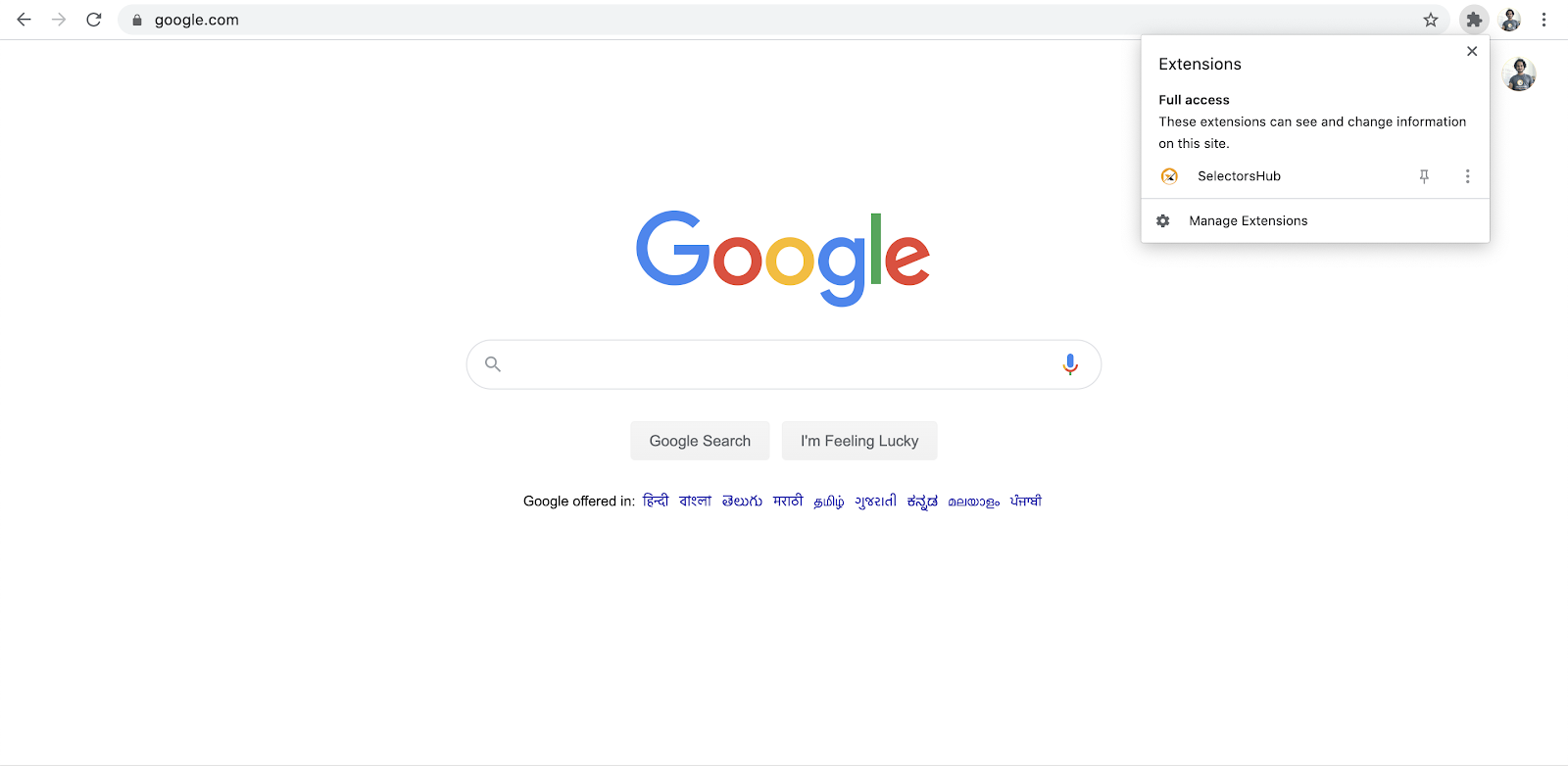
4) After adding the extension, restart the browser.
5) Now open DevTools by right clicking on any element and clicking on inspect.
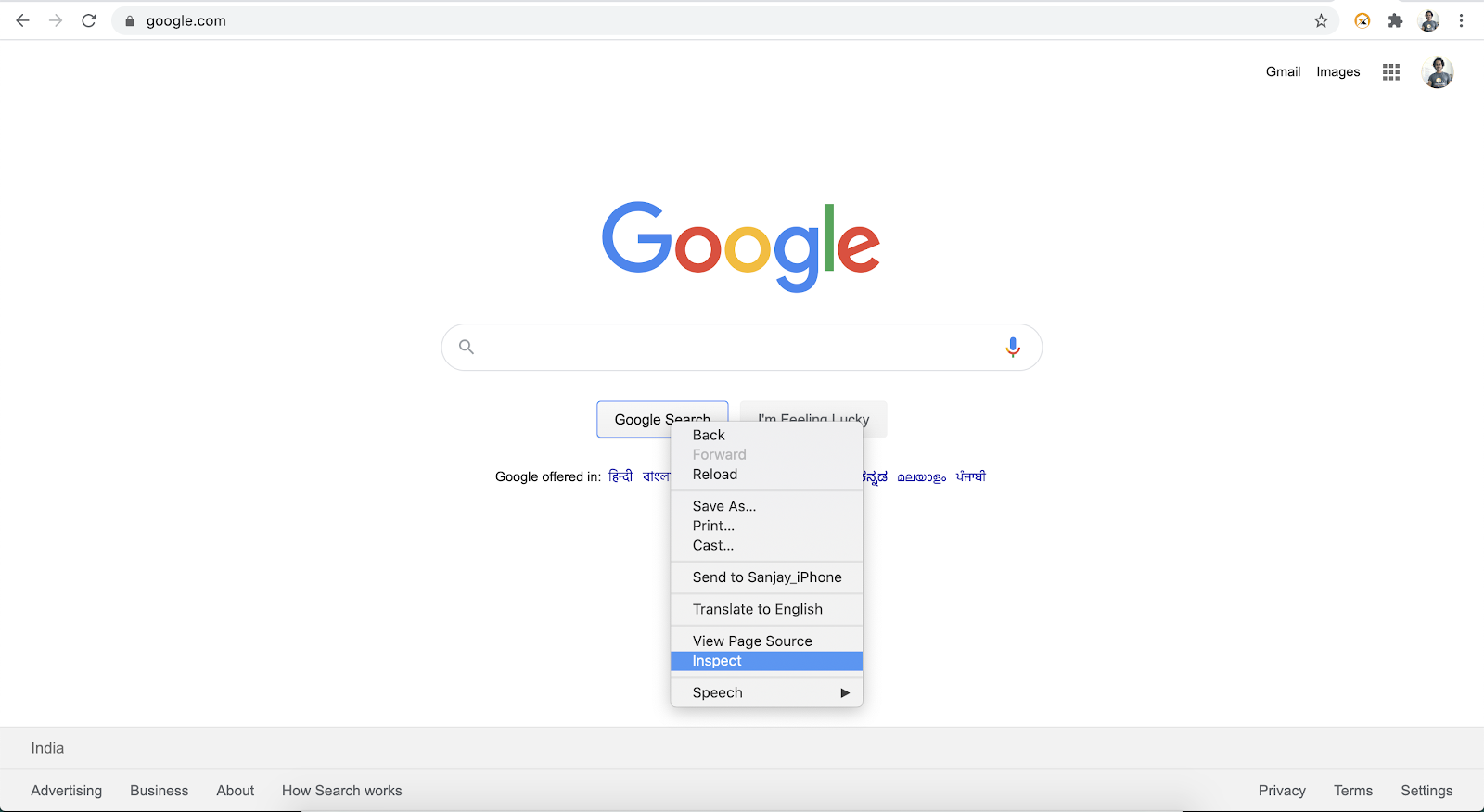
6) On the right side of the Elements tab, SelectorsHub will be the last tab as shown in below image. If not visible, expand the sidebar or click on the two arrow icons as shown in below gif.
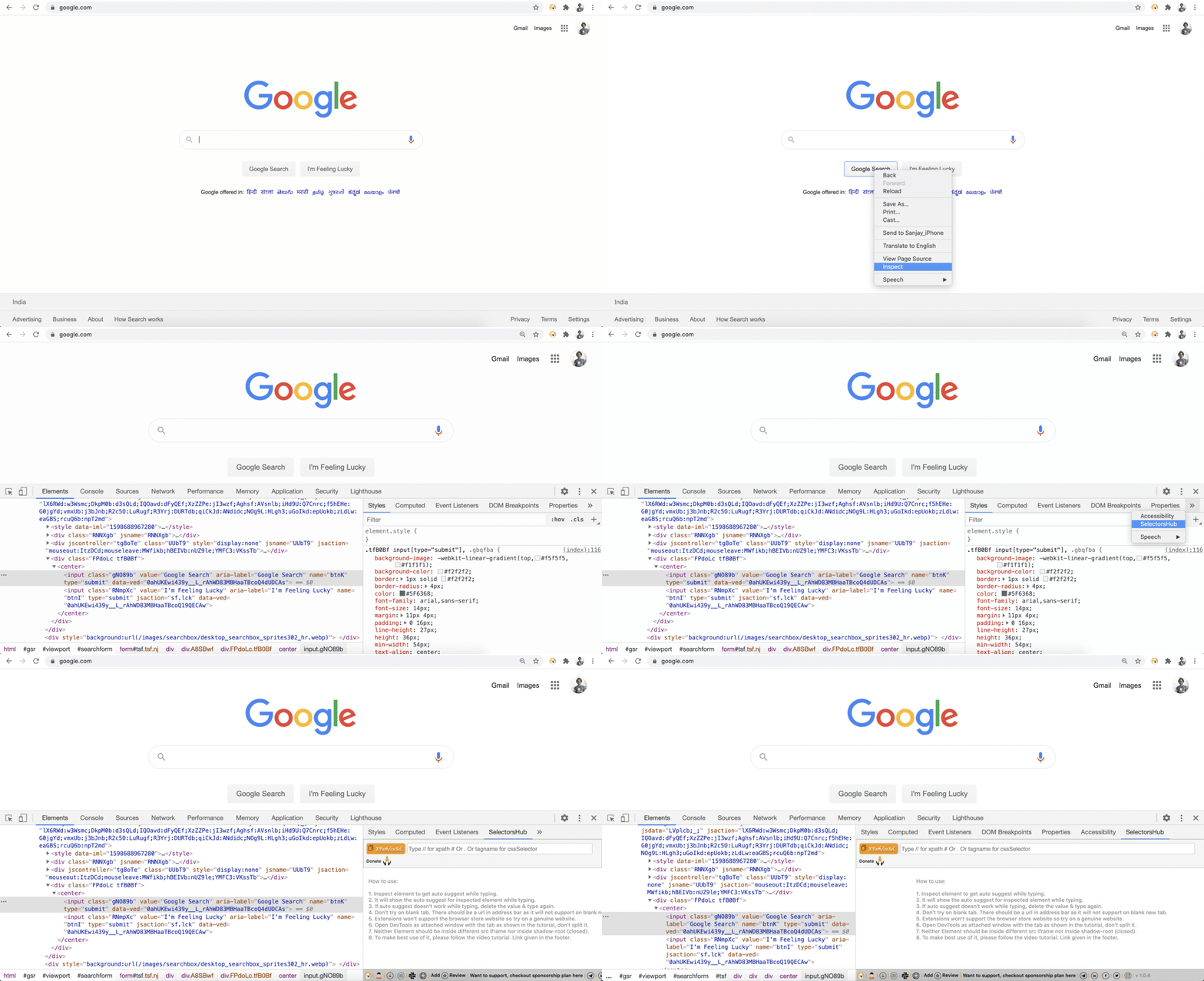
7) Now here you start typing your xpath or cssSelector. You will get auto suggest for inspected element.

Why to use SelectorsHub while there are so many other good XPath tools & selectors tools?
Biggest reason is, SelectorsHub helps to improve XPath and cssSelector writing skills.
Not one reason, there are many reasons which makes SelectorsHub the unique and best xpath tool.
SelectorsHub is the only tool which made it possible to write own selectors in less than 5sec with its auto suggest feature without compromising learning skills.
SelectorsHub is the only tool which supports #shadowDOM, in fact even Chrome DevTools doesn’t support shadowDOM.
SelectorsHub is the only tool which gives the proper error message for the missing elements in your selectors.
It helps you to improve your xpath and cssSelectors writing skills.
It has iframe support.
It supports svg elements.
It supports dark theme.
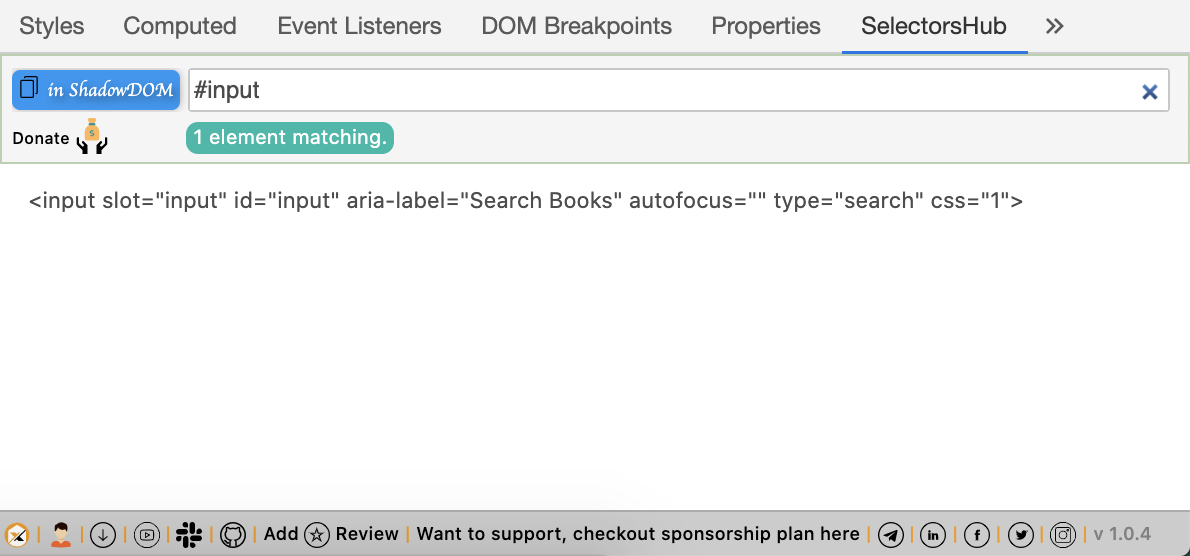
ShadowDOM Support
It was never possible to verify and write the cssSelectors for shadowDOM elements but this amazing innovation made it possible.

Proper error message for missing elements in selectors
Earlier there was nothing which can tell us what’s wrong in our selector. We were never able to understand what’s wrong in our selector until we are not expert in it. Devtools suggests 0 matching node for wrong selector pattern. But now we have the Selector’s guide which helps us with the correct error message and what is wrong or missing in our selector.

Iframe support
It supports iframes as well. It will let you know if the inspected element is inside an iframe or not. Now we can easily write and verify selectors for elements inside an iframe without wasting any time.

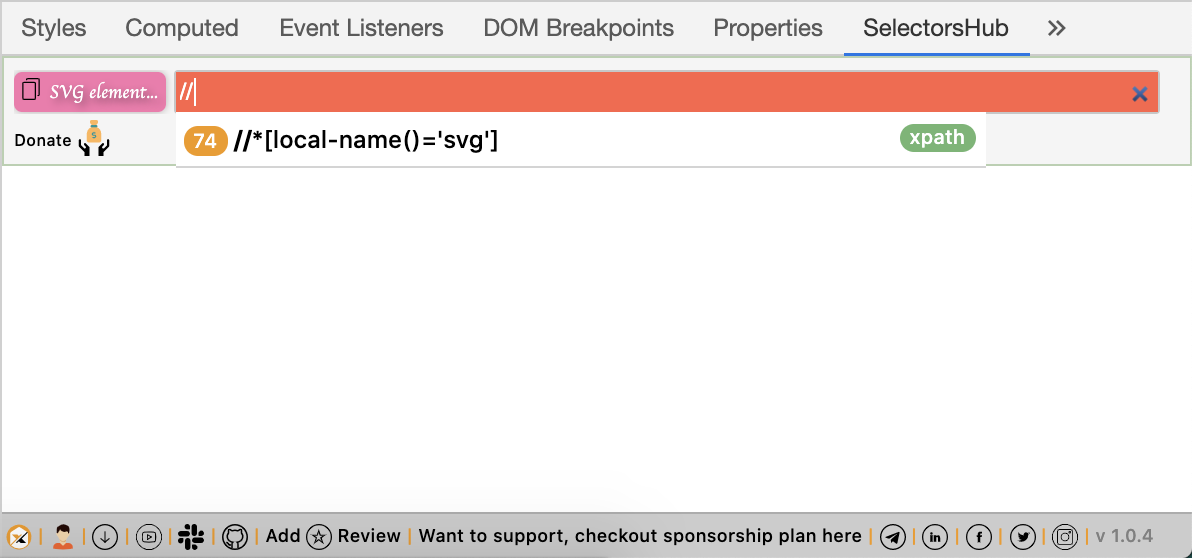
SVG element support
Many of us are not aware that svg elements don't support the standard xpath format. SVG elements support different xpath patterns. SelectorsHub has made it easy and let you know the correct format and helps you to learn how to write selectors for svg elements.
For more details and to make the best use of SelectorsHub please follow the video tutorials available here.
https://www.selectorshub.com/videotutorials/
Thursday, August 6, 2020
SelectorsHub: Smart Intellij for xpaths & cssSelectors!!
It is always recommended and preferred to write our own xpath and cssSelector. And to write the selectors,
From the day one when the web was introduced we are copying the attribute values from DOM and wasting a huge amount of time and making errors as well.
A lot of xpath tools have been created which used to auto generate the xpath but they were never upto mark and we were losing the xpath writing skill. We always have to edit that generated xpath or write our own xpath and in all this process we were wasting a lot of effort and time.
Today we are still writing xpath in Devtools. It is like we are still writing code in notepad while there are editors like Intellij, eclipse etc.
But not anymore here is my new invention SelectorsHub the smart Intellij for selectors.
SelectorsHub smartly auto suggests all the possible combinations of attributes, text, siblings etc to build selectors within seconds.
Try it now it’s absolutely FREE.

Why to use SelectorsHub while there are so many other good XPath tools & selectors tools?
Biggest reason is, SelectorsHub helps to improve XPath and cssSelector writing skills.
Not one reason, there are many reasons which makes SelectorsHub the unique and best xpath tool.
- SelectorsHub is the only tool which made it possible to write own selectors in less than 5sec with its auto suggest feature without compromising learning skills.
- SelectorsHub is the only tool which supports shadowDOM, in fact even Chrome DevTools doesn’t support shadowDOM.
- SelectorsHub is the only tool which gives the proper error message for the missing elements in your selectors.
- It helps you to improve your xpath and cssSelectors writing skills.
- It has iframe support.
- It supports SVG elements.
- It supports dark theme.
ShadowDOM Support
It was never possible to verify and write the cssSelectors for shadowDOM elements but this amazing innovation made it possible.

Proper error message for missing elements in selectors
Earlier there was nothing which can tell us what’s wrong in our selector. We were never able to understand what’s wrong in our selector until we are not expert in it. Devtools suggests 0 matching node for wrong selector pattern. But now we have the Selector’s guide which helps us with the correct error message and what is wrong or missing in our selector.

Iframe support
It supports iframes as well. It will let you know if the inspected element is inside an iframe or not. Now we can easily write and verify selectors for elements inside an iframe without wasting any time.

SVG element support
Many of us are not aware that svg elements don’t support the standard xpath format. SVG elements support different xpath patterns. SelectorsHub has made it easy and let you know the correct format and helps you to learn how to write selectors for svg elements.

For more details and to make the best use of SelectorsHub please follow the video tutorials available here.
Want to support SelectorsHub, please donate here.
Friday, July 31, 2020
SelectorsHub: A new reality is live now!!
SelectorsHub: A new reality is live now!!
Build your own XPath & cssSelector in less than 5sec without compromising your learning skills. With the support of shadowDOM, error message with missing elements and much more!!
Build your own XPath & cssSelector in less than 5sec without compromising your learning skills. With the support of shadowDOM, error message with missing elements and much more!!
Why use SelectorsHub while there are so many other good XPath tools & selectors tools?
𝐁𝐢𝐠𝐠𝐞𝐬𝐭 𝐫𝐞𝐚𝐬𝐨𝐧 𝐢𝐬, SelectorsHub 𝐡𝐞𝐥𝐩𝐬 𝐭𝐨 𝐢𝐦𝐩𝐫𝐨𝐯𝐞 𝐬𝐞𝐥𝐞𝐜𝐭𝐨𝐫'𝐬 𝐰𝐫𝐢𝐭𝐢𝐧𝐠 𝐬𝐤𝐢𝐥𝐥𝐬.
Not one reason, there are many reasons which makes SelectorsHub the best xpath tool.
1) SelectorsHub is the only tool which made it possible to write own selectors in less than 5sec with its auto suggest feature without compromising learning skills.
2) SelectorsHub is the only tool which supports shadowDOM, in fact even Chrome DevTools doesn’t support shadowDOM.
3) SelectorsHub is the only tool which gives the proper error message for the missing elements in your selectors.
4) It helps you to improve your xpath and cssSelectors writing skills.
𝐁𝐢𝐠𝐠𝐞𝐬𝐭 𝐫𝐞𝐚𝐬𝐨𝐧 𝐢𝐬, SelectorsHub 𝐡𝐞𝐥𝐩𝐬 𝐭𝐨 𝐢𝐦𝐩𝐫𝐨𝐯𝐞 𝐬𝐞𝐥𝐞𝐜𝐭𝐨𝐫'𝐬 𝐰𝐫𝐢𝐭𝐢𝐧𝐠 𝐬𝐤𝐢𝐥𝐥𝐬.
Not one reason, there are many reasons which makes SelectorsHub the best xpath tool.
1) SelectorsHub is the only tool which made it possible to write own selectors in less than 5sec with its auto suggest feature without compromising learning skills.
2) SelectorsHub is the only tool which supports shadowDOM, in fact even Chrome DevTools doesn’t support shadowDOM.
3) SelectorsHub is the only tool which gives the proper error message for the missing elements in your selectors.
4) It helps you to improve your xpath and cssSelectors writing skills.
Friday, May 8, 2020
2020 Innovations in the world of Automation, apart from COVID-19.

- It was never possible to verify multiple XPath together, we always have to verify xpath one by one which used to take a whole day but not anymore. With the smart maintenance feature of ChroPath, one can verify thousands of XPath in a single shot.
- We all talk about writing automation scripts for manual test cases but from where those manual test cases are coming? It means someone is writing them manually, isn’t it? But now no need to waste anymore time in writing manual test cases, ChroPath Studio will write the manual test cases for you!!
- Many of us still believe that we can’t write the xpath for SVG elements and SVG child elements, even chrome devtools doesn’t give the correct xpath for these elements. But now history has been changed and ChroPath made it possible and it generates the unique Relative xpath for SVG elements & SVG child elements.
- For so many years we are wasting a lot of time to handle the iframes in our automation because we never get to know immediately that element is inside an iframe and until the script doesn’t fail, we don’t check if that element is inside the iframe or not. But now we need not to waste anymore time to handle iframe, ChroPath gives the iframe xpath as well as element xpath just in a single click.
- When we write the automation script we have to check which all selectors are possible and which could be the best unique locator for the element. And all this process we have to repeat for each element and we are wasting a hell of time in this process. But again not anymore, just in a single click ChroPath will give all the possible selectors with their occurrence.
AutonomIQ ChroPath is a free tool.
Thursday, May 7, 2020
Thursday, March 19, 2020
Why “ChroPath is disabled” & asking for browser history?
You might notice a popup “ChroPath is disabled” in your browser.

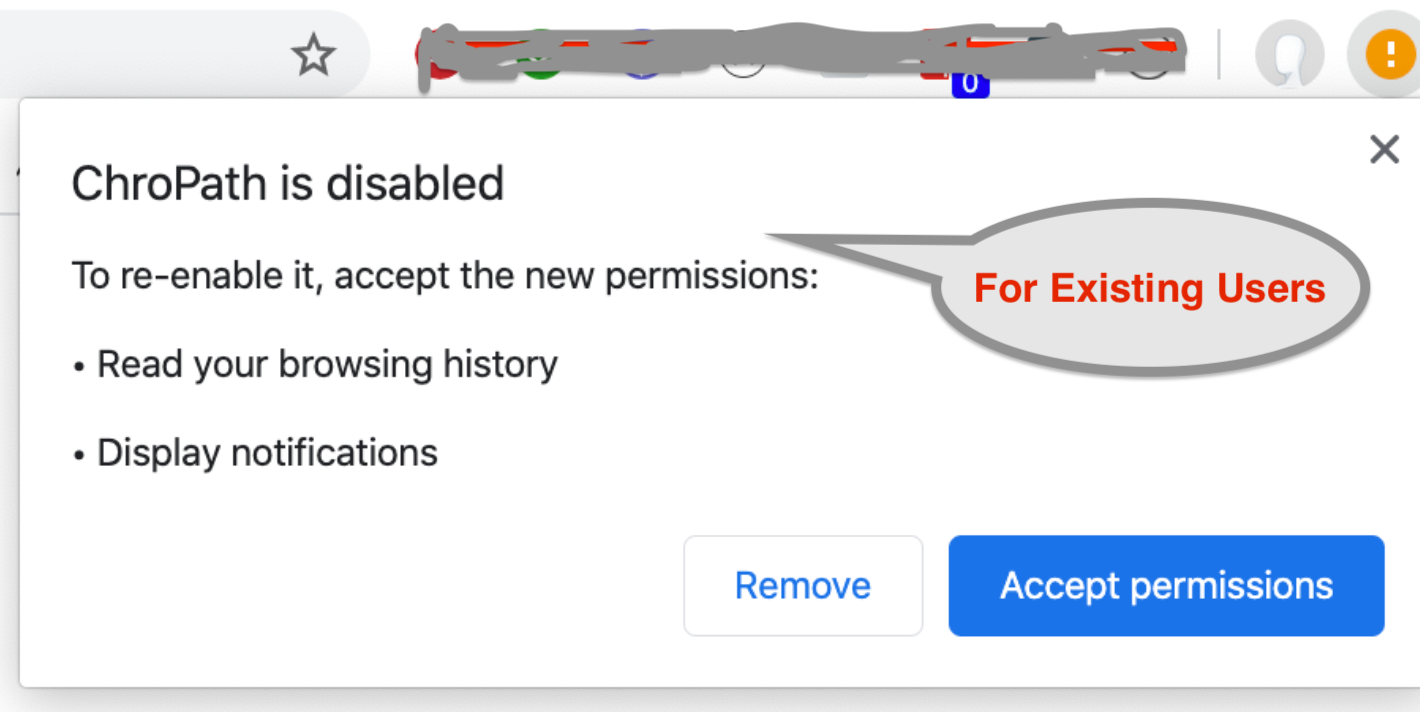
Don’t worry just accept the permission or remote it and install again.


Let me make it very clear here that we are not tracking any user data. Everything runs in your local for this extension. It is the most safe plugin. Whatever stats or number of users we get is from the Chrome Store.
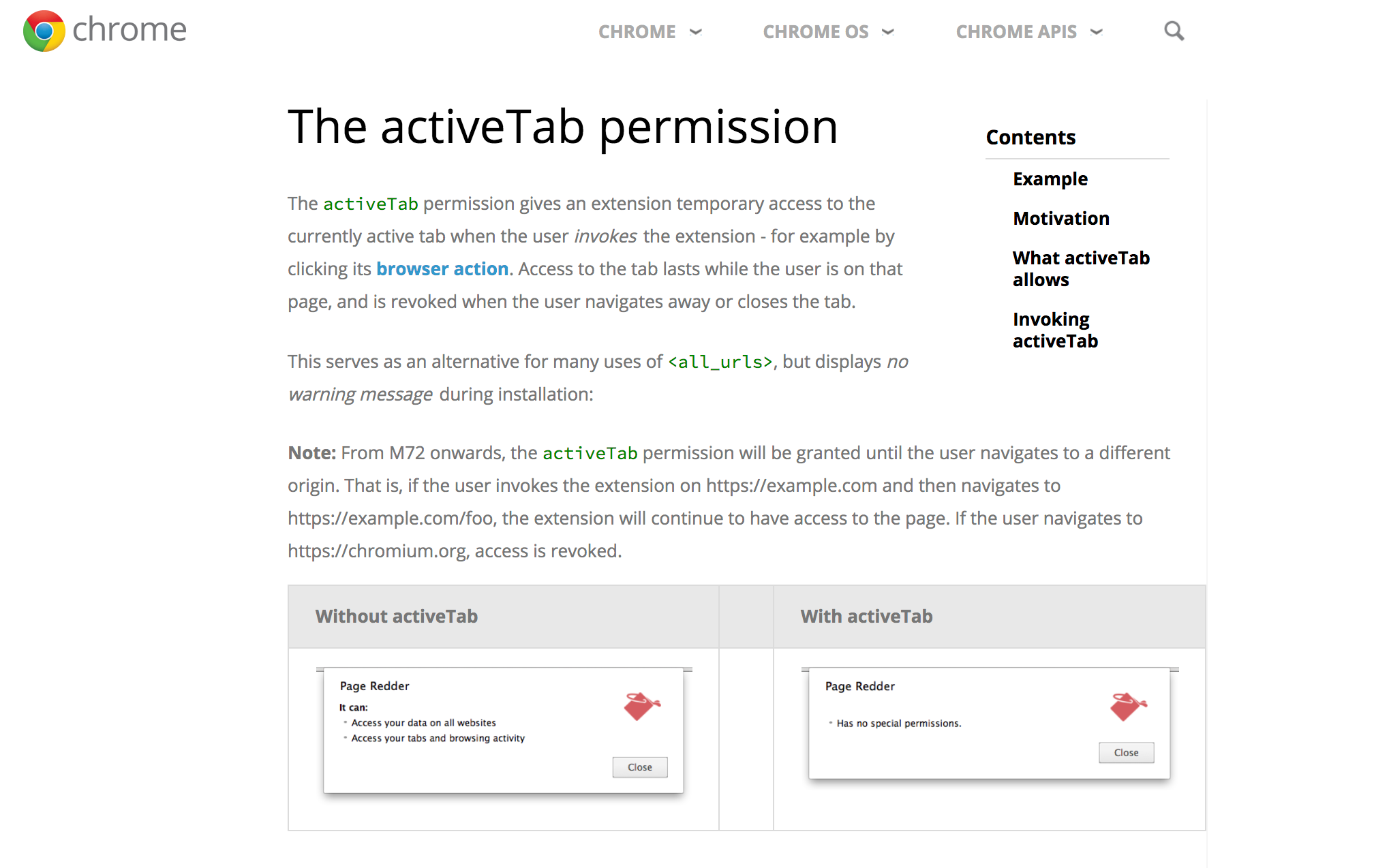
We haven’t asked for browsing history permission and we don’t need it. If you notice when you install fresh then it won’t ask for this permission. For existing users only it is showing when it is updating from CP 5.0 to 6.0. In extension there is a permission “activeTabs” if we use that then it won’t show this permission popup. Now Chrome suggested not to use that permission so we have removed that permission because it is not required so it is showing that popup. For more details you can check here at Chrome website.
https://developer.chrome.com/extensions/activeTab
https://developer.chrome.com/extensions/activeTab

- In ChroPath 6.0, we have added a feature which saves ChroPath settings like driver command and attribute choice in local which saves your time from setting them again and again.
- For ChroPath Studio, notification display when it capture the actions and generate the manual test cases so for that it is required.
Thank you Ivan Tay for letting me know about this popup, it will help whole community to understand the reason for it.
If you have any query or doubt, please feel free to reach out to me anytime. Thank you.
Thursday, March 12, 2020
Is it possible to verify multiple XPaths in single shot?
Yes, now it is possible with AutonomIQ ChroPath 6.0 version. Using smart maintenance feature of ChroPath 6, we can verify 100s of XPaths in single shot.
Download link

How to use Smart Maintenance feature?
Just paste complete script and it will verify all your XPath:
- First go to that web page for which you want to verify all the XPaths.
- Now click on Smart Maintenance icon(2nd last icon) given just below selector box in ChroPath tab.
- There are two ways to verify all XPaths in your script-
i) Just paste the complete script:
a) Click on edit icon (present in smart maintenance header),
b) Pass the same command which is used in script on XPath and just replace the xpath by xpathValue keyword. If there is no command then turn off the command option. For ex- driver.findElement(By.xpath(“//input”)) then pass the command as driver.findElement(By.xpath(“xpathValue”))
c) Paste the complete script in the given box and click on OK.
d) It will show all the XPaths with their occurrences in the page.
e) You can copy all the XPaths by clicking on CopyAll icon given in header or export them by clicking on export icon.
ii) Upload the script/xpaths file(supported only for downloaded files from ChroPath):
a) Click on upload xpath xls file icon
b) Set the command
c) Click on next
d) Upload the file which has the xpath values
e) It will show all the XPaths with their occurrences in the page.
Download link

b) Pass the same command which is used in script on XPath and just replace the xpath by xpathValue keyword. If there is no command then turn off the command option. For ex- driver.findElement(By.xpath(“//input”)) then pass the command as driver.findElement(By.xpath(“xpathValue”))
c) Paste the complete script in the given box and click on OK.
d) It will show all the XPaths with their occurrences in the page.
e) You can copy all the XPaths by clicking on CopyAll icon given in header or export them by clicking on export icon.
a) Click on upload xpath xls file icon
b) Set the command
c) Click on next
d) Upload the file which has the xpath values
e) It will show all the XPaths with their occurrences in the page.
Subscribe to:
Posts (Atom)